


News and Events
Commercial Security Solutions Philippines: A Practical Approach to Protecting People, Property, and Operations
What Are Commercial Security Solutions?
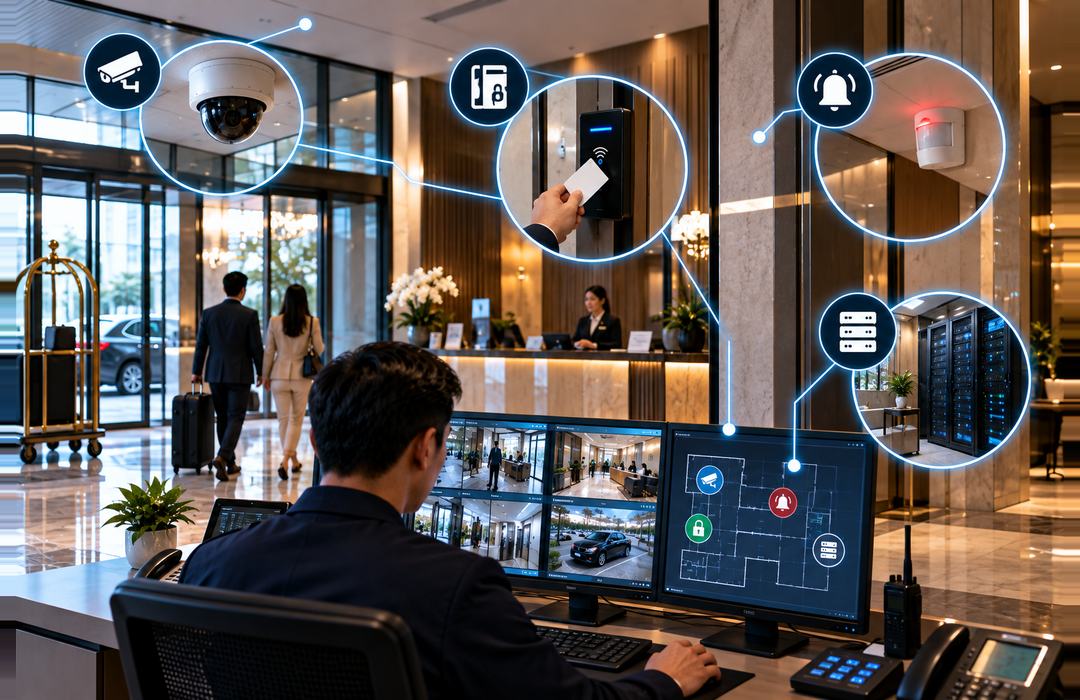
Commercial Security Solutions bring together the security systems a business uses to protect its people, property, equipment, and restricted areas. Depending on the facility, this can include CCTV cameras, Access Control Systems, Intrusion Alarm Systems, Visitor Management Systems, and centralized monitoring tools.
The purpose is not simply to install more security equipment. Each system should address a specific risk. Cameras help security teams see and review activity, access control determines who can enter restricted areas, and intrusion alarms warn personnel when unexpected entry or movement is detected.
When compatible systems are connected, they can provide more useful information during an incident. For example, an access control event can be checked against CCTV footage to help security personnel understand what happened instead of reviewing each system separately.
Foxcon Total Solutions, Inc. provides Commercial Security Solutions for offices, manufacturing facilities, warehouses, hospitals, schools, hotels, retail establishments, government offices, and other commercial properties.
Why Choose Commercial Security Solutions?
Security needs can change significantly from one property to another. A warehouse may be more concerned with loading areas, inventory rooms, and perimeter access, while an office may need closer control over entrances, server rooms, and areas containing sensitive records.
A Commercial Security Solution should reflect those differences. Instead of placing the same equipment everywhere, businesses can identify which areas need surveillance, which doors require controlled entry, and where alarms or additional monitoring are necessary.
Connecting security systems can also give personnel better context when something unusual happens. If someone attempts to use an unauthorized credential at a controlled door, for example, the event can be investigated alongside available camera footage. This gives the security team more information than an access record alone.
Security records can also support investigations after an incident. Video footage, access activity, and alarm events can help establish when something happened and which areas were involved.
How Commercial Security Solutions Work
Planning begins by looking at the property rather than choosing equipment immediately. Entrances, exits, restricted rooms, storage areas, parking spaces, perimeter locations, working hours, visitor movement, and existing security procedures should all be considered.
From there, suitable security systems can be assigned to the areas where they are actually needed. Cameras may cover entrances and high-activity locations, while electronic access controls can be installed in rooms that should only be accessible to authorized employees.
Intrusion detection can provide alerts when protected areas are accessed unexpectedly. Monitoring software can then bring information from compatible systems into a more manageable view for authorized security personnel.
The response to an event should also be planned in advance. An alert has limited value if nobody knows who should review it, what needs to be checked, or when the situation should be escalated. Clear procedures help turn security technology into something employees can actually use during an incident.
Commercial Security Solutions Safety & Trust
Security equipment handles information that should not be available to everyone. Camera footage, access records, user credentials, and system settings should only be accessible to people who need them for their responsibilities.
Administrative permissions should therefore be managed carefully. Former employees should have their access removed, unused accounts should be reviewed, and security personnel should only receive the level of system access required for their work.
Physical placement also matters. Cameras should be positioned around legitimate security needs rather than installed without considering privacy or the purpose of monitoring. Access readers, controllers, alarm equipment, and recording devices should be protected against unnecessary interference or unauthorized handling.
Network-connected security equipment also needs regular attention. Passwords, system permissions, software, firmware, and network settings should be reviewed as part of ongoing security management.
Routine testing is equally important. A camera that has shifted position, an access reader that works inconsistently, or an alarm sensor that is no longer responding may leave a gap that staff do not notice until an incident occurs.
Commercial Security Solutions Tips
-
Identify the areas with the highest security risk before deciding where equipment should be installed.
-
Avoid giving every employee the same building access. Permissions should reflect actual responsibilities.
-
Position cameras around clear security objectives such as entrances, loading areas, corridors, and other locations that need monitoring.
-
Review employee and contractor credentials when roles change or employment ends.
-
Protect security system administrator accounts and limit who can change configurations.
-
Check that camera footage, access records, and alarm events can be retrieved when needed.
-
Test cameras, readers, locks, sensors, alarms, recording equipment, and backup power regularly.
-
Review the security setup when the facility expands or changes how certain areas are used.
Security Technology Still Needs a Clear Response Plan
Detecting an incident is only part of commercial security. Businesses also need to decide what happens after an alert appears.
Consider an unauthorized attempt to enter a restricted storage room. Access control may deny the credential, but the security team still needs to determine whether the attempt was accidental or suspicious. Nearby CCTV footage can provide additional context, while established procedures tell personnel whether they should contact the employee, dispatch security staff, or escalate the incident.
The same principle applies to after-hours alarms and unusual activity caught on camera. Employees responsible for monitoring should know which alerts require immediate action and who needs to be contacted.
Security planning should therefore cover both technology and people. The equipment provides information, but trained personnel and clear procedures determine how effectively that information is used.
A professional security assessment can help identify weak points, suitable equipment locations, integration requirements, monitoring responsibilities, and areas where existing security procedures need improvement.
Frequently Asked Questions
What are Commercial Security Solutions?
Commercial Security Solutions are integrated systems that help protect businesses through technologies such as CCTV surveillance, Access Control Systems, Intrusion Alarm Systems, Fire Alarm Systems, and centralized security management.
What systems are included in a Commercial Security Solution?
A Commercial Security Solution may include CCTV cameras, Access Control Systems, Intrusion Alarm Systems, Fire Alarm Systems, Visitor Management Systems, Public Address Systems, and centralized monitoring platforms. The exact solution depends on the facility’s operational and security requirements.
Which businesses need Commercial Security Solutions?
Commercial Security Solutions are suitable for office buildings, manufacturing facilities, warehouses, hospitals, schools, hotels, shopping centers, government offices, and other organizations that require reliable protection for people, property, and business operations.
Can Commercial Security Solutions be integrated with other building systems?
Yes. Modern Commercial Security Solutions can integrate with Building Management Systems (BMS), network infrastructure, Audio Visual Solutions, emergency communication systems, and other smart building technologies to improve operational efficiency and incident response.
Why is system integration important?
System integration allows different security technologies to communicate with one another. This improves monitoring, simplifies security management, provides faster incident verification, and supports more effective emergency response.
Why is preventive maintenance important for Commercial Security Solutions?
Routine inspections, software updates, equipment testing, and preventive maintenance help ensure all security systems operate reliably. Regular servicing also extends equipment lifespan and reduces the risk of unexpected system failures.
Make Commercial Security More Connected and Effective
Protect your people, property, and operations with integrated Commercial Security Solutions. From CCTV and Access Control to Intrusion Alarm Systems, video analytics, and centralized monitoring, Foxcon Total Solutions, Inc. can help develop a security environment based on your facility’s needs.
📞 Contact us today to discuss your commercial security requirements.
📍 Serving businesses in Cebu, Metro Manila, and nationwide.
🌐 Explore Foxcon’s solutions to learn more about our services.
References
-
Guard-All Electronic Security Systems – Security Solutions
https://www.guardall.com.ph/ -
Nexus Technologies – Security and Technology Solutions
https://nexustech.com.ph/ -
Pelco – Commercial Security Systems
https://www.pelco.com/blog/commercial-security-systems -
LinkedIn – Commercial Security Solutions: Mitigate Risk and Strengthen Safety
https://www.linkedin.com/pulse/commercial-security-solutions-mitigate-risk-strengthen-safety-8wwmc/ -
General Security – Guide to Commercial Security
https://www.gensecurity.com/resources/guide-to-commercial-security