


News and Events
Data Center Cooling Solutions Philippines: Managing Heat and Airflow for Reliable IT Operations
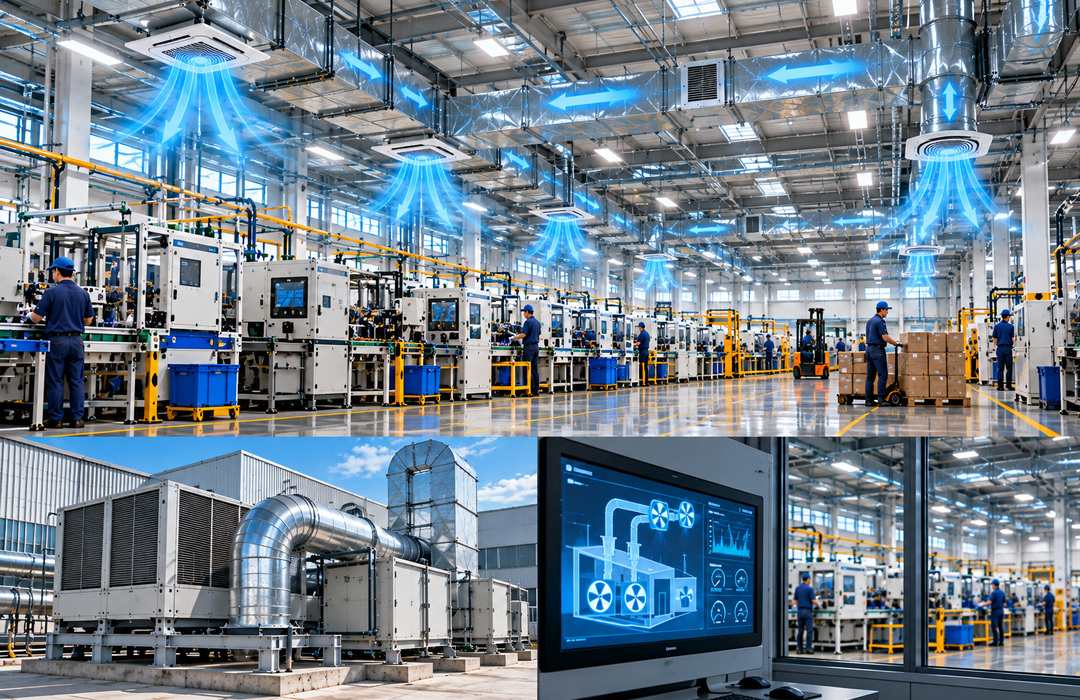
What Are Data Center Cooling Solutions?
Data Center Cooling Solutions Philippines are systems and strategies designed to manage heat, airflow, temperature, and humidity around servers, storage systems, network switches, and other critical IT equipment.
Unlike ordinary comfort cooling, which is primarily designed for occupied spaces, data center cooling is planned around continuous equipment heat loads and the operating requirements of IT infrastructure.
Depending on the facility, cooling may involve precision air-conditioning systems, computer room air conditioning, airflow management, hot-aisle or cold-aisle arrangements, environmental sensors, in-row cooling, chilled-water systems, or other specialized technologies. Higher-density computing environments may also use liquid-based approaches, including direct liquid cooling or immersion cooling, depending on the equipment and technical requirements.
Foxcon Total Solutions, Inc. provides Data Center Cooling Solutions that can support server rooms, data centers, enterprise IT facilities, and other environments where stable operating conditions are important for critical technology infrastructure.
Why Choose Data Center Cooling Solutions?
Servers continuously convert electrical energy into heat while operating. As more equipment is installed in the same room or rack, the heat load can increase significantly.
If that heat is not removed effectively, some equipment may begin operating at higher temperatures even when the overall room temperature appears acceptable. This is why data center cooling requires more than simply installing a powerful air-conditioning unit.
Cooling must reach equipment intake areas, while hot exhaust air should be directed away from those intakes. A properly planned cooling environment can help reduce hot spots, maintain equipment within appropriate operating conditions, and make more effective use of available cooling capacity.
Data Center Cooling Solutions can also be planned alongside Server Rack Solutions, Environmental Monitoring Systems, Power Monitoring Systems, UPS Solutions, Enterprise Server Solutions, and broader Data Center Infrastructure. Together, these systems provide a more coordinated approach to managing critical IT environments.
How Data Center Cooling Solutions Work
Most servers and networking devices draw cooler air through one side of the equipment and discharge warmer air through another. In many rack-mounted environments, this airflow is designed from front to rear. Cooling systems remove heat from the room and supply conditioned air back toward equipment intake areas.
Rack placement and aisle design can help keep the cooler supply air separated from the warmer exhaust air. One common layout uses alternating cold aisles and hot aisles. Equipment fronts face the cold aisle, while equipment exhausts face the hot aisle. Containment systems may also be used to limit unwanted mixing between supply and exhaust air.
Temperature and humidity sensors can be installed at several locations rather than relying on a single room sensor. For example, sensors near rack intake areas can provide more useful information about the conditions actually reaching servers. Environmental monitoring platforms can then display readings and generate alerts when configured thresholds are exceeded.
The appropriate cooling architecture depends on equipment density, heat output, rack arrangement, room size, power availability, redundancy requirements, and expected future expansion.
Data Center Cooling Solutions Safety & Trust
Cooling capacity should be evaluated against the actual IT heat load. Simply adding another air-conditioning unit does not always solve a cooling problem. Poor airflow, blocked vents, recirculating hot exhaust, incorrect rack placement, or insufficient return-air paths can still create hot spots even when the installed cooling capacity appears adequate.
Humidity also requires appropriate management. Conditions that are excessively dry or humid can create additional concerns for IT environments, so operating ranges should be based on applicable equipment requirements and facility design.
Cooling infrastructure should also be monitored for failure. For critical environments, organizations may consider redundancy so that the loss of one cooling unit does not immediately leave the entire IT environment without adequate cooling. The level of redundancy should reflect the importance of the equipment and the facility’s availability requirements.
Preventive maintenance remains essential. Cooling units, filters, condensers, pumps, sensors, drains, fans, airflow paths, and control systems should be inspected according to their technical and manufacturer requirements. Foxcon Total Solutions, Inc. can support data center cooling projects through site assessment, system planning, installation, integration, testing, commissioning, preventive maintenance, and technical support.
Data Center Cooling Solutions Tips
-
Calculate the actual IT heat load. Base cooling decisions on installed and planned equipment rather than room size alone.
-
Monitor rack intake temperatures. A room-average temperature may hide localized hot spots.
-
Separate hot and cold airflow. Reduce unnecessary mixing between equipment intake and exhaust air.
-
Keep rack fronts and vents clear. Cables, boxes, and other obstructions can interfere with airflow.
-
Use blanking panels where appropriate. Empty rack spaces can allow unwanted air recirculation in some designs.
-
Review cooling after equipment changes. Adding servers can increase heat density even when rack space remains available.
-
Monitor temperature and humidity. Use strategically located sensors instead of relying on one room reading.
-
Plan for cooling failures. Consider redundancy where equipment availability justifies it.
-
Coordinate cooling with power planning. Higher electrical loads generally mean more heat that must be removed.
-
Maintain cooling equipment regularly. Dirty filters, blocked coils, failed fans, or inaccurate sensors can reduce cooling performance.
Measure Conditions at the Rack, Not Just at the Wall
One of the most useful improvements in a server room is often better environmental measurement. A thermostat mounted on a wall may report that the room is operating at an acceptable temperature, but that does not necessarily mean every server is receiving air at the same temperature.
A rack near a cooling unit may receive adequate conditioned air while another rack on the opposite side of the room experiences recirculated hot exhaust. High-density equipment can create additional localized heat that may not appear in the room-average measurement.
Monitoring conditions near equipment intake points gives facility and IT teams a clearer picture of what the servers are actually experiencing. Multiple sensors can also reveal patterns. If the top of one rack consistently operates warmer than the bottom, airflow or recirculation may need to be investigated.
Cooling decisions should therefore be based on actual environmental data rather than assumptions about how air is moving through the room.
Frequently Asked Questions
What are Data Center Cooling Solutions?
Data Center Cooling Solutions are systems and strategies used to remove heat and maintain suitable temperature, humidity, and airflow conditions around critical IT equipment.
Why do data centers require specialized cooling?
Servers and networking equipment can operate continuously and generate concentrated heat loads. Specialized cooling is designed around these equipment loads and airflow requirements rather than primarily around human comfort.
What is hot-aisle and cold-aisle design?
It is a rack arrangement in which equipment fronts face designated cold aisles and exhausts face hot aisles. The objective is to reduce mixing between conditioned supply air and heated exhaust air.
Is data center cooling the same as standard air conditioning?
Not necessarily. Standard comfort cooling is usually designed for occupied spaces, while data center cooling must consider continuous equipment heat, rack airflow, environmental monitoring, equipment density, and availability requirements.
What is liquid cooling?
Liquid cooling uses a liquid medium to remove heat from IT equipment. Depending on the architecture, this may include direct-to-chip cooling or immersion cooling and is generally considered for higher-density or specialized computing environments.
Can cooling requirements change when new servers are installed?
Yes. More servers or higher-density equipment can significantly increase heat output. Cooling capacity, airflow, power, and environmental monitoring should be reviewed whenever major infrastructure changes occur.
Can Environmental Monitoring Systems support data center cooling?
Yes. Temperature and humidity sensors can provide real-time information and alerts that help facility teams identify abnormal environmental conditions and investigate potential cooling problems.
Keep Cooling Capacity Aligned With IT Growth
Maintain suitable operating conditions for servers, storage, and network equipment with professionally planned Data Center Cooling Solutions Philippines. From heat-load assessment and airflow planning to environmental monitoring, installation, testing, commissioning, and preventive maintenance, Foxcon Total Solutions, Inc. can help organizations manage heat and support more reliable conditions for critical IT infrastructure.
📞 Contact us today to discuss your data center cooling requirements.
📍 Serving businesses in Cebu, Metro Manila, and nationwide.
🌐 Explore Foxcon’s solutions to learn more about our services.
References
-
Asperitas – Immersion Cooling Systems https://www.asperitas.com/systems
-
Digital Realty – The Future of Data Center Cooling https://www.digitalrealty.com/resources/blog/future-of-data-center-cooling
-
Sunbird – Data Center Cooling https://www.sunbirddcim.com/glossary/data-center-cooling
-
Daikin Applied – Data Center Solutions https://www.daikinapplied.com/industry-solutions/data-center-solutions
-
ScienceDirect – Research on Data Center Cooling Technologies https://www.sciencedirect.com/science/article/abs/pii/S0140700724000458