


News and Events
Auxiliary Systems Philippines: Connecting the Technologies Behind Modern Facilities
🔧 What Are Auxiliary Systems?
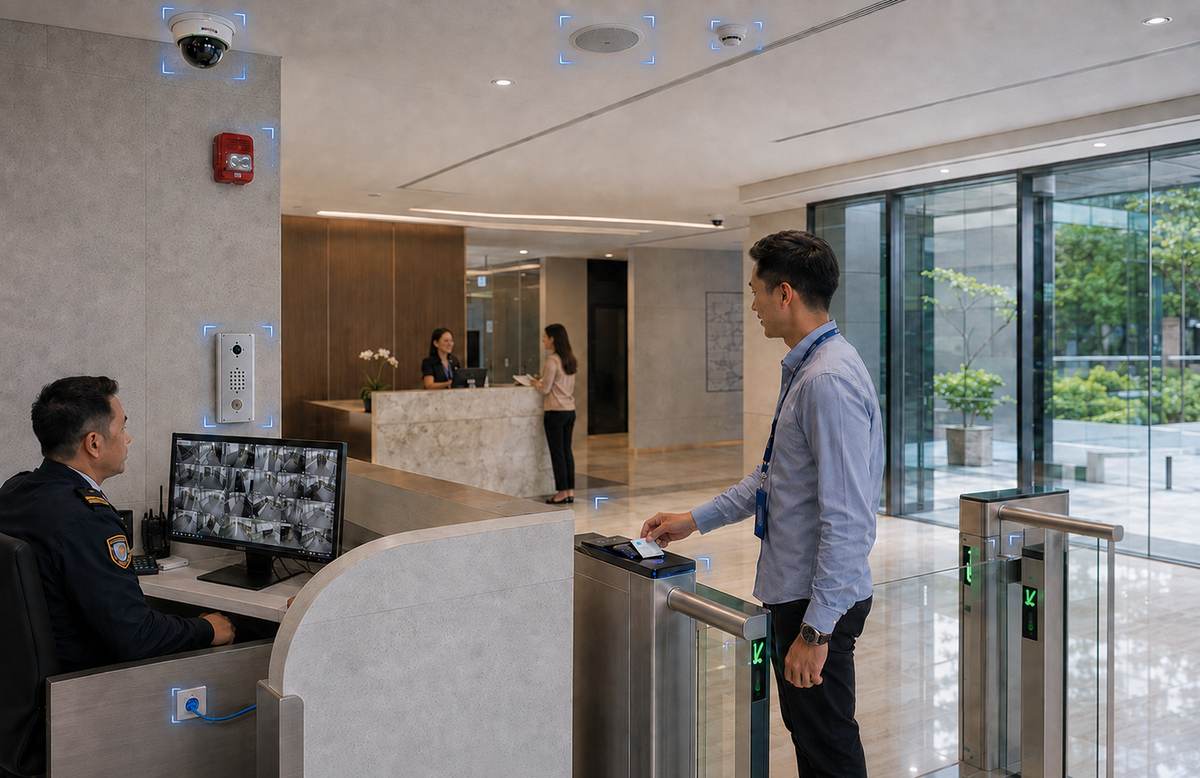
Auxiliary Systems Philippines refers to low-voltage systems that support the security, communication, safety, connectivity, and daily operation of modern facilities. While electrical and mechanical systems provide essential power and utilities, auxiliary systems support many of the technologies used to monitor, communicate, and manage building operations.
Common Auxiliary Systems include Security Systems, Fire Detection and Alarm Systems, Parking Management Systems, Building Management Systems, Timekeeping and Access Control Systems, Communication Systems and LED Walls, Cabling Solutions and GPON, Wireless Networks, and Fabricated Metal Products. These are the systems Foxcon categorizes under its Auxiliary System offerings.
These systems are commonly used in offices, hospitals, schools, hotels, manufacturing facilities, residential developments, government buildings, and other commercial or institutional environments.
Properly planned auxiliary infrastructure can also make it easier to expand security, communication, and network technologies as facility requirements change.
🏢 Why Choose Auxiliary Systems?
Modern facilities rely on multiple technologies to support security, communication, safety, connectivity, and operational management. Auxiliary Systems Philippines provide the infrastructure needed to bring these technologies together within an organized environment.
Security and Access Control Systems can help security teams monitor activities and manage entry into restricted areas. Communication Systems support information sharing throughout a facility, while Fire Detection and Alarm Systems provide important alerts during emergency situations.
Other auxiliary technologies, such as Parking Management Systems, Building Management Systems, GPON, and Wireless Networks, can support broader facility operations and connectivity.
Cabling Solutions provide the physical connectivity required by many network-based technologies.
When compatible systems are properly integrated, facility teams may also gain centralized visibility into alarms, security events, communication equipment, and other building technologies.
Well-planned auxiliary infrastructure can also support future expansion, allowing organizations to add devices, network capacity, or additional technologies without unnecessarily replacing the entire existing system.
⚙️ How Auxiliary Systems Work
Auxiliary systems begin with devices installed throughout the facility. Depending on the application, these may include security cameras, access control readers, fire detectors, communication devices, network equipment, sensors, and other connected equipment.
Information or signals generated by these devices are transmitted through compatible network or structured cabling infrastructure to controllers, servers, control panels, or management platforms.
Individual systems can then perform their designated functions or interact with other compatible technologies.
For example, a Fire Detection and Alarm System may work alongside Communication Systems, Access Control, Security Systems, or other emergency systems according to the approved facility design.
In more integrated environments, selected auxiliary systems may connect to a Building Management System or centralized security platform, allowing authorized facility personnel to monitor multiple technologies from a central interface.
🛡️ Auxiliary Systems Safety & Trust
Auxiliary systems should be planned as part of the broader building infrastructure rather than treated as unrelated technologies.
Compatibility between devices, software platforms, communication protocols, network infrastructure, and other connected equipment should be considered during system design.
Reliable cabling and network infrastructure are also important because many modern auxiliary technologies depend on consistent communication between field devices and centralized equipment.
Organizations should consider scalability when selecting systems and supporting infrastructure.
Buildings and operational requirements can change over time, so the ability to add new devices or technologies can reduce the need for major infrastructure modifications later.
Regular testing, software updates, equipment inspections, and preventive maintenance can also help maintain dependable system operation.
💡 Auxiliary Systems Tips
● Plan auxiliary systems during the early stages of the project.
● Identify integration requirements between security, communication, safety, and connectivity technologies.
● Use properly designed cabling and network infrastructure.
● Consider future expansion when selecting equipment and cable pathways.
● Verify compatibility between equipment from different manufacturers.
● Maintain accurate system and network documentation.
● Perform regular testing, inspections, software updates, and preventive maintenance.
🔗 Connect Security, Communication, and Building Technologies
Modern facilities depend on more than individual security or communication devices.
A properly planned Auxiliary Systems Philippines environment provides the supporting infrastructure that allows multiple technologies to operate within the same facility.
From Security Systems and Fire Detection to Access Control, Communication Systems, Cabling Solutions, GPON, Wireless Networks, and Building Management Systems, each technology supports a different aspect of facility operations.
Professional planning can help determine the appropriate equipment, cabling, network requirements, integration methods, and expansion capacity for the facility.
This creates an infrastructure that can support current operational requirements while remaining adaptable as technologies and organizational needs evolve.
❓ Frequently Asked Questions
What is an auxiliary system in a building?
Auxiliary systems are low-voltage systems that support building security, communication, safety, connectivity, and daily operations. They work alongside electrical and mechanical systems to support the technologies used to monitor, communicate, and manage different areas of a facility.
What are examples of auxiliary systems?
Foxcon’s Auxiliary Systems include Security Systems, Fire Detection and Alarm Systems, Parking Management Systems, Building Management Systems, Timekeeping and Access Control Systems, Communication Systems and LED Walls, Cabling Solutions and GPON, Wireless Networks, and Fabricated Metal Products.
What is the difference between electrical systems and auxiliary systems?
Electrical systems supply and distribute electrical power throughout a building. Auxiliary systems support functions such as security, communication, fire detection, connectivity, access management, and building monitoring.
Why are auxiliary systems important for commercial buildings?
Auxiliary systems support several parts of daily facility operations, including security monitoring, communication, emergency alerts, access management, connectivity, and building monitoring. When compatible systems are properly integrated, facility teams can manage these technologies more efficiently.
Can auxiliary systems be integrated with Building Management Systems?
Yes. A Building Management System is included in Foxcon’s Auxiliary System offerings and can work with compatible building technologies to provide centralized monitoring and control.
🏢 Strengthen Your Facility With Integrated Auxiliary Systems Today!
Bring your building technologies together with professionally planned Auxiliary Systems. From security and communication to connectivity and monitoring infrastructure, Foxcon Total Solutions, Inc. can help design, install, integrate, test, and maintain solutions based on your facility requirements.
📞 Contact us today to discuss your auxiliary system requirements.
📍 Serving businesses in Cebu, Metro Manila, and nationwide.