


News and Events
Auxiliary System Installation Philippines: Deploying Integrated Low-Voltage Building Technologies
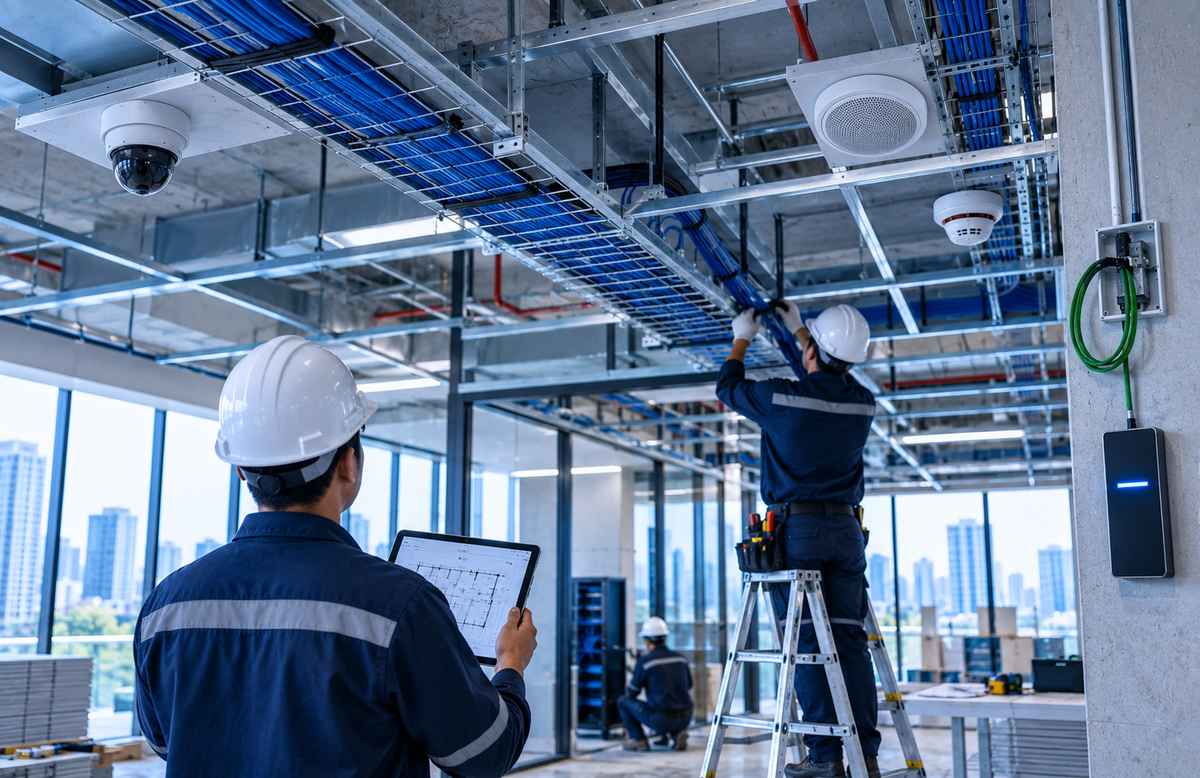
🔧 What Is Auxiliary System Installation?
Auxiliary System Installation Philippines refers to the professional deployment of low-voltage and communication technologies that support security, safety, connectivity, monitoring, control, and daily building operations.
These systems operate alongside a facility’s main electrical infrastructure but perform specialized functions such as surveillance, access management, communication, networking, automation, and system monitoring.
Auxiliary systems may include CCTV Surveillance Systems, Access Control Systems, Fire Detection and Alarm Systems, Public Address Systems, Building Intercom Systems, Structured Cabling, Data Networks, Video Conferencing Solutions, and other low-voltage technologies.
Foxcon Total Solutions, Inc. provides Auxiliary System Installation services for commercial buildings, corporate offices, hospitals, hotels, educational institutions, manufacturing facilities, government facilities, and other projects requiring professionally deployed building technologies.
🏢 Why Choose Professional Auxiliary System Installation?
Modern facilities depend on multiple technical systems operating at the same time. Installing each system independently without proper coordination can create problems involving cable routing, equipment placement, network availability, power requirements, rack capacity, maintenance access, and system integration.
Professional Auxiliary System Installation helps translate the approved engineering design into an organized physical deployment. Cable pathways, device locations, control panels, network connections, equipment racks, power provisions, and integration points can be reviewed before installation progresses.
This becomes especially important when several technologies need to work together. For example, access control events may need to be associated with nearby CCTV cameras. Fire detection systems may need interfaces with emergency communication or building management platforms. IP-based devices may depend on common switching, structured cabling, and network infrastructure.
A coordinated approach also makes future troubleshooting and expansion easier because cables, devices, panels, and network connections can be labeled and documented from the beginning.
⚙️ How Auxiliary System Installation Works
The installation process generally begins with a review of approved drawings, equipment specifications, project requirements, and actual site conditions. Technical personnel verify device locations, cable routes, mounting requirements, equipment room conditions, network points, power availability, and interfaces with other building systems.
Depending on the project, installation may include:
● Cable trays, conduits, or other pathways
● Copper and fiber cabling
● Equipment racks and cabinets
● Patch panels and termination hardware
● Control panels
● Cameras and mounting hardware
● Card readers and access control devices
● Speakers and communication devices
● Detectors and alarm devices
● Network switches and related equipment
● AV and conferencing equipment
● Controllers, gateways, and interfaces
Supporting infrastructure is normally installed before or alongside the active equipment. Cables are routed, terminated, labeled, and organized according to the system design. Devices are then mounted and connected to the required power, network, communication, or control infrastructure.
After physical installation, devices may require addressing, programming, software configuration, and integration with other compatible systems. The completed installation can then proceed to testing and commissioning before final turnover.
🛡️ Auxiliary System Installation Safety & Trust
Reliable auxiliary systems depend on more than correct device placement. Cable routing, separation, bend requirements, environmental conditions, mounting methods, power connections, grounding where applicable, network configuration, and manufacturer installation instructions all affect long-term system performance.
Coordination with other trades is also important. Cable trays may share ceiling spaces with electrical, mechanical, plumbing, fire protection, and architectural services. Equipment locations may also depend on finished walls, ceilings, furniture, doors, or other construction work.
Installation teams should therefore coordinate routes and equipment positions before site conflicts lead to rework.
Documentation provides another important layer of reliability. Cable identifiers, equipment records, device locations, rack layouts, system diagrams, configuration information, and testing results should be maintained where required so future technicians can understand the installed system.
Foxcon Total Solutions, Inc. supports projects through Engineering and Design, Supply and Installation, Project Implementation, Testing and Commissioning, Copper Certification and Fluke Testing, Preventive Maintenance, and Supply and Replacement services.
💡 Auxiliary System Installation Tips
● Review the site before installation. Confirm that actual conditions still match the approved design.
● Coordinate cable pathways early. Avoid conflicts with electrical, mechanical, plumbing, and architectural work.
● Confirm device mounting locations. Camera views, reader positions, speakers, and sensors depend on proper placement.
● Label cables and devices consistently. Identification should match drawings and test reports.
● Protect bend radius and cable condition. Poor routing can affect copper and fiber performance.
● Plan rack capacity carefully. Allow space for active equipment, patching, cable management, power, and reasonable future growth.
● Verify network requirements. IP-based auxiliary systems may depend on VLANs, PoE, addressing, bandwidth, and switch capacity.
● Document configuration changes. Final records should reflect the installed condition.
● Test individual devices first. Resolve basic installation problems before full integration testing.
● Complete commissioning before turnover. Installed equipment should be verified before regular use.
🔗 Coordinate the Pathways Before the Ceiling Is Closed
One of the most practical ways to avoid installation problems is to coordinate auxiliary system pathways before ceilings, wall finishes, and other building elements restrict access. Consider a commercial floor that will contain CCTV cameras, access control readers, Wi-Fi access points, public address speakers, and structured cabling.
Each system may require different device locations, cable quantities, pathway capacities, and termination points. If the ceiling is closed before those requirements are properly coordinated, installation teams may be forced to reroute cables, open finished surfaces, or compromise equipment locations.
The same problem can occur when cable trays are undersized or when pathways are blocked by ducts, pipes, electrical services, or structural elements. Early coordination allows teams to review these conflicts while changes are still easier to make.
This is especially valuable in multi-system projects where several low-voltage technologies share equipment rooms, ceiling spaces, risers, and network infrastructure.
❓ Frequently Asked Questions
What is Auxiliary System Installation?
Auxiliary System Installation is the professional deployment of low-voltage technologies used for security, communication, networking, monitoring, automation, and other specialized building functions.
What systems are considered auxiliary systems?
Depending on project terminology and scope, auxiliary systems may include CCTV, access control, fire detection and alarm, public address, intercom, structured cabling, data networks, audio visual systems, and other low-voltage technologies.
Are auxiliary systems the same as low-voltage systems?
The terms often overlap in building projects, but they are not always used identically. “Auxiliary systems” commonly refers to specialized building technologies, many of which operate using low-voltage power or communication infrastructure.
Does Auxiliary System Installation include testing?
Installation is typically followed by testing and commissioning to verify connections, configuration, communication, functionality, and integrations according to project requirements.
Can auxiliary systems integrate with existing building technologies?
Yes, when the systems are technically compatible and the integration is supported by the required interfaces, protocols, software, and design.
Why is structured cabling important for auxiliary systems?
Many modern auxiliary technologies are IP-based and depend on reliable copper or fiber cabling for communication, power delivery through PoE where supported, and connectivity to network equipment.
Can existing auxiliary systems be upgraded?
Yes. Existing infrastructure can be assessed to determine which components can remain in service and which should be expanded, integrated, upgraded, or replaced.
🚀 Coordinate Cabling, Devices, and Integrations Before Installation Begins
Deploy commercial building technologies through professionally coordinated Auxiliary System Installation Philippines. From site assessment and pathway planning to cabling, equipment installation, configuration, integration, testing, commissioning, and documentation, Foxcon Total Solutions, Inc. can help organizations implement low-voltage systems based on actual project and operational requirements.
📞 Contact us today to discuss your auxiliary system installation requirements.
📍 Serving businesses in Cebu, Metro Manila, and nationwide.
🌐 Explore Foxcon’s solutions to learn more about our services.